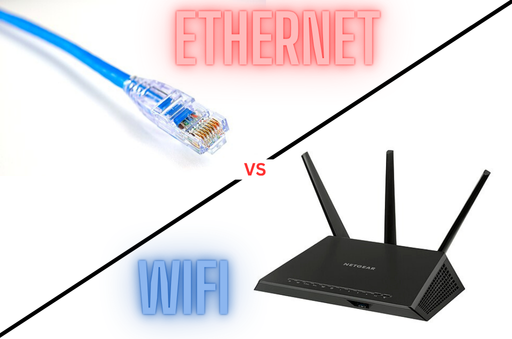
Choosing between a wired Ethernet cable and Wi-Fi often comes down to speed, reliability, and use case. A wired connection typically offers more consistent throughput and lower latency, while Wi-Fi gives you freedom of movement. Modern Ethernet (Cat5e/Cat6) can deliver up to 1 Gbps (about 940 Mbps after overhead) over long runs, whereas typical Wi-Fi (e.g. 5 GHz 802.11ac) peaks around several hundred Mbps in real-world conditions. In practice, Ethernet tends to win on raw speed and stability. For example, a Cat6 cable can maintain ~940 Mbps up to 100 m, whereas a Wi-Fi link might fluctuate between 100–500 Mbps depending on interference and distance.
- Ethernet speed: Modern Ethernet ports are usually 1 Gbps (1000 Mbps). Cat5e supports 1 Gbps (125 MB/s) and Cat6 can do 1 Gbps up to 100 m, even 10 Gbps on shorter runs. Many new routers/NICs support 2.5–10 Gbps for multi-gig speeds.
- Wi-Fi speed: Wi-Fi 5 (802.11ac) with a good 2×2 router can hit ~866 Mbps per stream (around 1–1.3 Gbps max theoretical) on 5 GHz, but actual throughput is lower due to interference and overhead. Wi-Fi 6 (802.11ax) can do ~1.2 Gbps per stream and up to 9.6 Gbps aggregate (when using wide channels and multiple antennas). Upcoming Wi-Fi 7 (802.11be) promises up to ~46 Gbps theoretically, but real-world speeds will be much lower (on the order of a few Gbps at best) due to contention and signal limits.
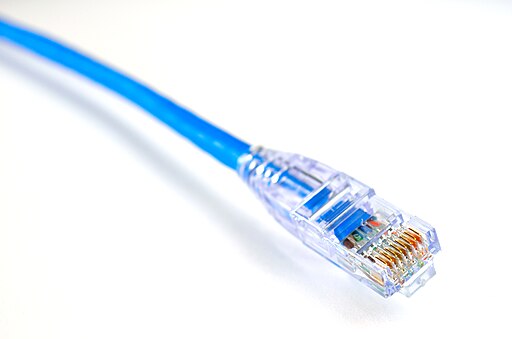
In summary, Ethernet usually delivers higher and more consistent throughput than Wi-Fi. A wired cable doesn’t share bandwidth with neighbors and isn’t slowed by walls or interference. As HighSpeedInternet notes, Ethernet “gives you consistent speeds and low latency, whereas Wi-Fi does not”. In contrast, Wi-Fi speeds can “take a nasty nosedive” if the signal hits interference or too many devices.
Is Ethernet Cable Still Faster Than Wi-Fi?
Yes. Wired Ethernet remains faster in most home/work setups. A Cat6 cable easily carries 1 Gbps between devices and router, while Wi-Fi on 5 GHz often maxes out well below that in practice. For example, a modern Wi-Fi 5 router might achieve ~300–600 Mbps to a laptop across a room, whereas Ethernet would sustain the full 1 Gbps. Even Wi-Fi 6 and 6E (with 160 MHz channels) reach a couple gigabits in ideal conditions, Ethernet can reach 10 Gbps (Cat6a) or more on a good cable. Wired also won’t slow down with distance (within its 100 m spec) as much as Wi-Fi does. In short, Ethernet “avoids the fluctuations that can slow down wireless”, so for pure speed and stability, wired wins.
- Example: A Cat6/Cat6a cable supports 10 Gbps over 100 m, whereas a Wi-Fi 6 client in the same room might only get ~1–2 Gbps.
- 5 GHz Wi-Fi: Using the 5 GHz band (802.11ac/ax) does boost wireless speeds above older 2.4 GHz Wi-Fi, but it still rarely outpaces a gigabit Ethernet link. Even with 5 GHz, Wi-Fi speeds are shared among users and sensitive to interference. In practice, a 5 GHz router might max out around 1–1.2 Gbps to a single device, while Ethernet provides a solid 1 Gbps link (and low latency). So typically 5 GHz Wi-Fi is not faster than a wired Gigabit connection.
- 100 Mbps Ethernet: By today’s standards, 100 Mbps (Fast Ethernet) is not fast. It was common on Cat5 cables, but Cat5e and Cat6 now deliver 10× that. If you see only “100 Mbps” on your Ethernet adapter, check the cable and router port (you may have Cat5 or a 100 Mbps port). Gigabit Ethernet (1 Gbps) is the norm, so 100 Mbps would be a bottleneck for modern internet or file transfers.
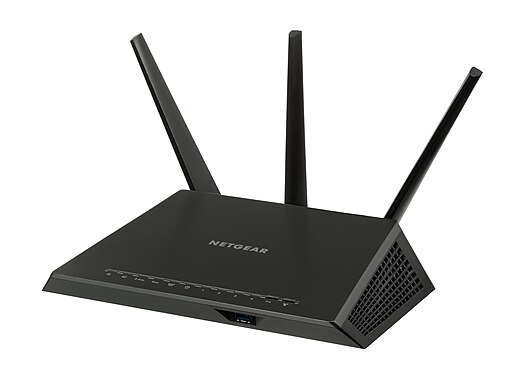
Wi-Fi 7 vs Ethernet: The Next-Gen Wireless
The new Wi-Fi 7 (802.11be) standard promises blistering theoretical speeds (up to ~46 Gbps) thanks to 320 MHz channels, 4K-QAM, and 16 spatial streams. However, real-world Wi-Fi 7 performance will be much lower and still influenced by signal quality, distance, and network load. Network World notes that practical speeds may only reach ~6–7 Gbps even with Wi-Fi 7 gear, which is still impressive but lower than the headline numbers.
Even so, Ethernet still holds advantages: as the Meter blog explains, “while Wi-Fi 7’s mobility is great, it might occasionally need a little help from its wired friend, Ethernet, when stability is critical”. Ethernet’s consistency and low latency aren’t matched by Wi-Fi. In short, Wi-Fi 7 is extremely fast on paper, but a wired Ethernet link remains more reliable for heavy tasks. For office or home networks demanding “steady, uninterrupted speeds,” Ethernet generally “remains the best choice”.
Cat8 Ethernet Cable: Overkill for Home (and Gaming)?
Category 8 (Cat8) cables are the fastest copper Ethernet cables made for 25–40 Gbps networks. They support up to 40 Gbps at short distances (24 m permanent link, 30 m channel). However, Cat8 has significant limitations for home use:
- Distance: Cat8 achieves 25–40 Gbps only up to ~30 m. Beyond that, its speed drops to 10 Gbps (which standard Cat6a/Cat7 already support over 100 m).
- Hardware: Home routers/switches and NICs rarely support more than 1–10 Gbps. As Eaton notes, most consumer equipment cannot operate at Cat8 speeds, making Cat8 “overkill” for home networks. The cable itself won’t slow your connection, but if your gear maxes at 1 Gbps, a Cat8 cable can’t magically boost it.
- Rigidity and cost: Cat8 cables are thick, heavily shielded, and stiff. They’re harder to bend or install neatly. They also cost much more than Cat5e/Cat6. For most homes, Cat6a (10 Gbps up to 100 m) is plenty. Eaton recommends Cat6 or Cat6a for home/gaming networks as the best cost-performance option.
In short, Cat8 is generally overkill for home or gaming use. It’s designed for data centers and ultra-high-speed backbones. Unless you have specialized 25–40 Gbps equipment (which almost nobody does at home), a Cat8 cable offers no practical speed benefit. As the vendor guide states: “Cat5e, Cat6, Cat6a and Cat7 cannot compete with Cat8 in terms of frequency and speed, but they’re much better suited for home applications”.
- Will Cat8 slow down your internet? Not by itself; a higher-category cable does not reduce speed. However, if you use Cat8 in place of a simpler cable, you should ensure it’s properly terminated. Poorly installed shielded cables can perform worse. In general, though, your internet speed depends on your ISP plan and devices, not the cable category. A Cat8 won’t make a 100 Mbps internet plan faster (and a 100 Mbps-capable router port still caps you at 100 Mbps).
- Can your router handle Cat8? Physically yes (Cat8 uses RJ45 connectors just like Cat6/Cat5e). But as Eaton notes, “most home network equipment cannot operate at Cat8 speed,” so Cat8 is “overkill”. If your router has only 1 Gbps ports, Cat8 cables will just function at 1 Gbps. Upgrading your switch/router to multi-gigabit would be needed to use Cat8’s potential.
Summary: For home or gaming, a Cat5e or Cat6 cable (1 Gbps) is usually fine. Cat6a (10 Gbps) is a good future-proof choice. Cat8 is only needed if you plan to build a 25–40 Gbps network (very rare outside data centers). In fact, for gaming and most streaming needs, Cat6/Cat6a “provide the high speeds and low latency” gamers want, whereas Cat8 is simply more than you’ll need.
Wired vs Wireless: Convenience and Security
Deciding between Wi-Fi and Ethernet is a trade-off of mobility vs. performance. Wi-Fi is wireless and clutter-free, ideal for mobile devices and casual use. Ethernet requires cables but delivers reliability.
- Security: Wired networks are generally more secure. A device must physically plug in to intercept traffic on Ethernet, whereas Wi-Fi signals can be picked up by anyone in range if not properly secured. As HighSpeedInternet points out, there’s “no chance of a hacker lurking nearby that could eavesdrop on your [Ethernet] connection” like with Wi-Fi. Leviton also confirms, “Wired systems have been known to be more secure than wireless networks” for years. In summary, Ethernet offers a direct private link; Wi-Fi (even with encryption) has a broader attack surface.
- Convenience: Wi-Fi wins for ease of setup and flexibility. You can connect multiple devices (phones, laptops, tablets, IoT gadgets) without cables. Setting up a wireless router is quick and avoids the mess of wires. Leviton notes Wi-Fi’s “unbeatable convenience” – easy installation and mobility. Meanwhile, a wired system requires planning: running cables through walls or under floors can be challenging and often needs a professional. The disadvantages of Ethernet (wired) include cable clutter, limited mobility, and higher installation cost. For example, HighSpeedInternet lists as Ethernet’s cons: “Cluttered setup, Less convenience, Expensive setup with multiple devices”.
In practical terms: use Ethernet when speed and stability are crucial (e.g. gaming PC, desktop, media server). Use Wi-Fi when you need convenience (laptops, phones, tablets around the house). Many homes use a mix (wired backbone with wireless for mobile devices). A wireless-only network “sacrifices performance, reliability, and security”, while a wired-only setup sacrifices convenience.
Ethernet vs Wi-Fi for Gaming: Lag, FPS & Pro Tips
Gamers overwhelmingly prefer Ethernet. A wired connection minimizes ping (latency) and packet loss – critical for fast-paced games. High ping can feel like lag or input delay; Ethernet “significantly reduces latency compared to Wi-Fi, providing a smoother…gaming experience”. Lenovo’s gaming guide emphasizes stability: Wi-Fi can drop connections or fluctuate in speed, while Ethernet “ensures minimal lag, consistent speeds, and a more stable gaming environment”.
- Pro Gamers and Esports: In competitive gaming, every millisecond counts. Professional gamers and tournaments use wired LAN because even small hiccups can be disastrous. As the Lenovo guide notes, “for esports professionals, every millisecond counts. Ethernet cables provide the low latency and high reliability needed to compete at the highest levels”. In practice, you’ll almost never see a serious gamer relying on Wi-Fi for online play.
- FPS and Ping: Will Ethernet improve your frames-per-second (FPS)? Not directly – FPS is set by your GPU/CPU. But Ethernet greatly improves network latency (ping time). Lower ping means less lag during online play, making the game feel smoother and more responsive. HighSpeedInternet explains that Wi-Fi “adds an extra translation step…which increases your latency,” whereas Ethernet bypasses wireless overhead. In short, Ethernet won’t boost your graphical FPS, but it will reduce lag spikes and jitter. Many gamers find this gives a subjective improvement in performance (e.g. fewer stutters or rubber-banding in multiplayer).
- Console Gaming (PS5, etc.): Modern consoles support fast Wi-Fi (the PS5 even has Wi-Fi 6), but when possible, use Ethernet. Wired console connections yield the lowest ping. DigitalCitizen confirms the PS5 has a Wi-Fi6 radio and can use 5 GHz, but it still benefits from wired where latency is critical. For example, downloading large games can be faster on Ethernet, and gameplay in shooters or VR is smoother. If running a cable is impractical, make sure your Wi-Fi router is powerful (e.g. Wi-Fi 6/7 with 5 GHz) and nearby. But Ethernet is still best for gaming stability.
- Cat8 for Gaming? The same Cat8 advice applies: it’s not needed for gaming. Gaming traffic is low bandwidth compared to 40 Gbps cable capacity. A Cat6 or Cat6a (1–10 Gbps) cable easily handles game data and large downloads. Cat8 would not increase performance in gaming; its only drawback is stiffness and cost.
Summary: For gaming, always use a wired connection if you can. Ethernet yields consistent speed, ultra-low latency, and no wireless interference – all critical for lag-free play. Wi-Fi is convenient for casual or mobile gaming, but for serious online gaming (or streaming gameplay), Ethernet is the safer, faster choice.
Conclusion
Ethernet cables generally outperform Wi-Fi in speed, stability, and security, while Wi-Fi offers unmatched convenience. A wired connection can deliver full wired-network speeds (1–10 Gbps today) consistently, whereas Wi-Fi speeds vary with distance, interference, and device load. For most home networks, Cat5e or Cat6 cables (up to 1–10 Gbps) are sufficient; Cat8 is only needed in rare high-throughput scenarios and can be “overkill” for home use.
In practice, use Ethernet for tasks that demand reliability – e.g. desktop PCs, gaming consoles (PS5/Xbox), smart TVs, or file servers – and use Wi-Fi for portability (phones, laptops, guests). If speed is critical (like serious gaming or 4K streaming), plug in a cable and enjoy lower ping and stable throughput. Wi-Fi 7 will keep closing the gap on wireless speeds, but Ethernet will remain the gold standard for predictable performance for the foreseeable future.
Key takeaways: Ethernet is typically faster and more secure than Wi-Fi. For most users, a good Cat6/Cat6a cable is all you need; Cat8 isn’t necessary unless you have enterprise-grade gear. And for gamers or anyone needing the lowest latency, a wired Ethernet connection is definitely worth it.
Ready to upgrade? If you experience slow or unstable Wi-Fi, try plugging your device into an Ethernet port and run a speed test. You might be surprised how much faster and smoother your connection becomes.